
Stop spending tokens on diagnosis.
Start spending them on the fix.
Capture what your AI keeps asking for
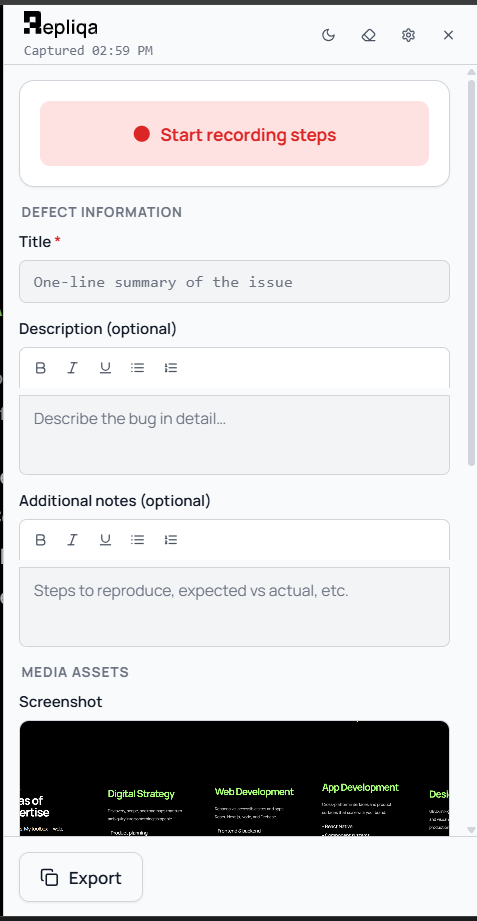
Screenshot, console, and network in one place
Click once on the broken page. Repliqa grabs the viewport, console errors, and network details. You skip the DevTools dig.
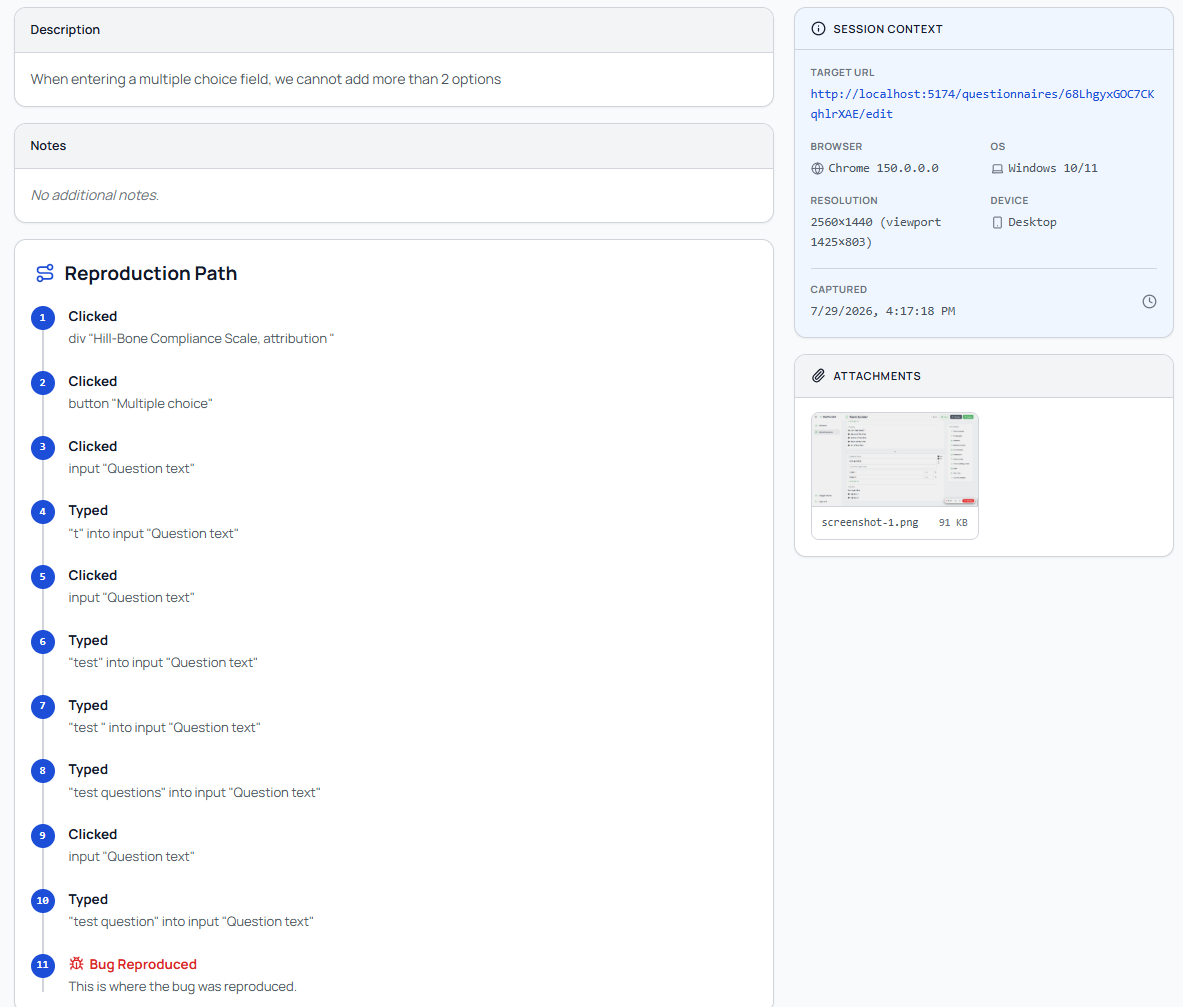
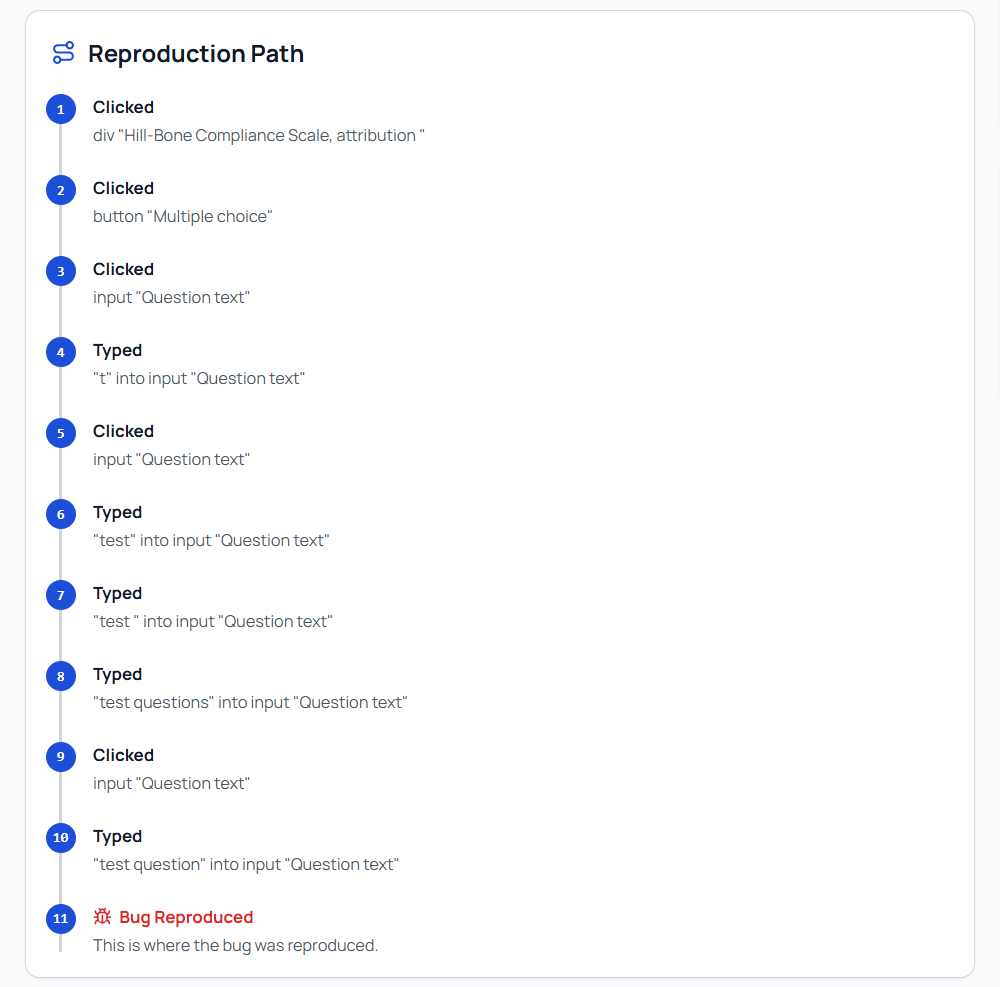
Reproduction steps, recorded for you
Hit record. Repliqa turns clicks and form changes into short steps. Cursor sees how you got there.
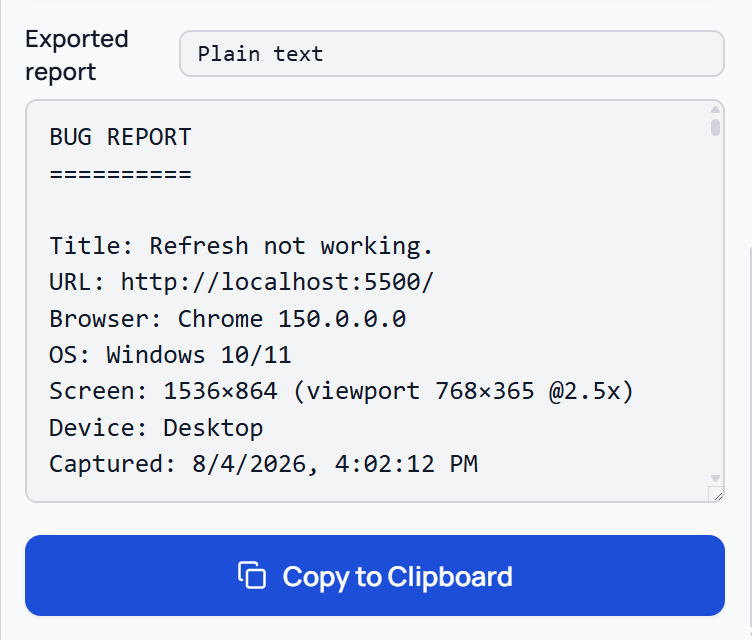
Paste once. Skip the clarifying loop.
Repliqa formats the capture for AI coding tools. Your assistant gets enough context to diagnose on the first prompt.
- Copy Markdown into Cursor or Claude Code
- Download an HTML report anyone can open
- Nothing leaves your machine unless you export
Fewer questions. Faster fixes.
Built for people who ship with AI, and for anyone who reports bugs
without speaking DevTools.
Why you'll love Repliqa
1 click
Full context. No DevTools scavenger hunt.
0 servers
On-device
4 signals
Screenshot, console, network, steps
1st prompt
Built so AI can diagnose, not interview
Everything your AI needs. Captured once.
Close the gap between a vague bug report and a prompt that gets a
fix. No more clarifying questions.
See what broke
Viewport screenshot plus optional snips. Your AI sees what you saw.
Catch the real errors
Console output and network details captured when you open Repliqa on the page.
Show the path to the bug
Record clicks and form changes as short steps a person or model can follow.
Keep it on your machine
No backend. No analytics. Nothing uploads until you copy or download a report.
Report without jargon
Vibe coders and clients capture full context without speaking DevTools.
Hand off in seconds
Paste into Cursor or Claude Code, or share an HTML report.
Install once.
Fix faster.
Free Chrome extension. No account. Captures stay on your device until you copy or download.